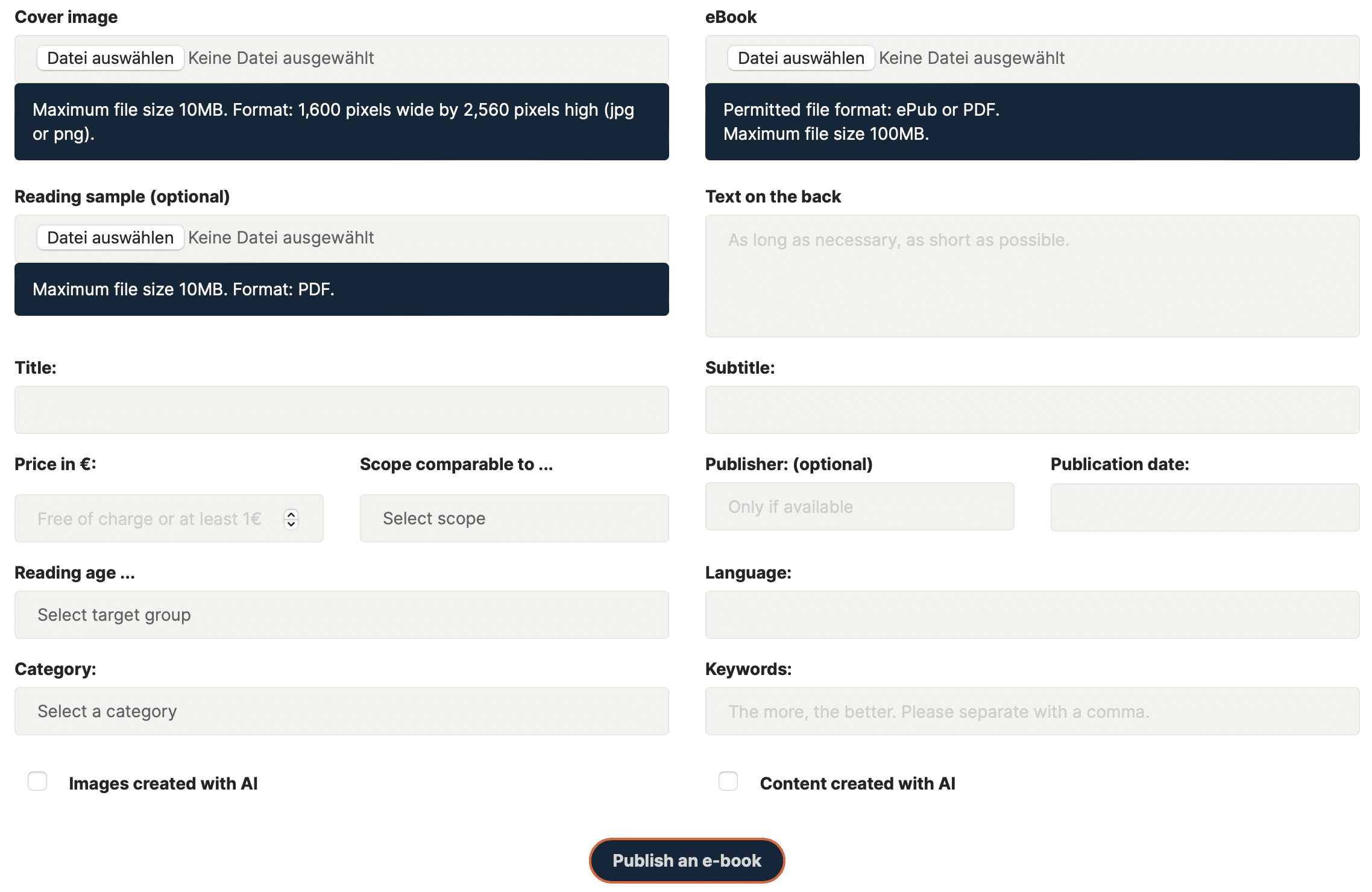
In the dashboard, you will find the following in the bottom left-hand column "Publish a new e-book". If you click on it, you will see the entry form.
To upload your e-book to our platform, you need
- Your e-book as epub or PDF
- A cover image in the format 1,600 pixels wide, 2,560 pixels high in jpg or png format. It is important to have the correct format, otherwise it will be cut off in the display. And another pro tip: make the title as large as possible so that it can be read immediately even if it is displayed smaller in the store.
Step 1: Upload your files (cover image + e-book)
Step 2: Upload reading sample (optional)
If you have a reading sample (recommended: the first ten pages as a PDF), upload it as well.
Step 3: Complete the data
- Title of the e-book, if you have, the subtitle in the next field
- You are free to choose the retail price. You can find out how to find the right retail price for your e-book here. You can also offer it for free, otherwise the price is €1. Please note: The price you enter here is always in € and will be displayed in your customer's local currency according to the current exchange rate in their country
- Give a comparable size as if it were a book so that your customers get an idea of how large the e-book they are buying is.
- Do you have a publisher's name? Then enter it in the next field. Otherwise leave it blank, you don't need a publisher's name.
- The publication date is today, if it is not already older.
- Indicate reading age so that buyers know who it is suitable for.
- Language in which the book was (predominantly) written.
- Select one of the categories in which the book will be listed later.
- Enter some keywords under which the book can be found on the Internet and on our site and make it as specific as possible. Example: "space adventure for children, moon trip, adventure in space, children in space, astronaut, adventure book for children, curiosity, research, technology for children, courage & friendship"
- Then specify whether the images and text were created with AI. This does not affect approval, but must be recorded.
Done!
Now press "Publish e-book" and after a short check we will release your e-book and you will find it in our store!
You can publish as many e-books as you like and your creativity allows.